The wall panel · six tabs · zero scrolling

A ten-year-old tablet,
the best screen in the house.

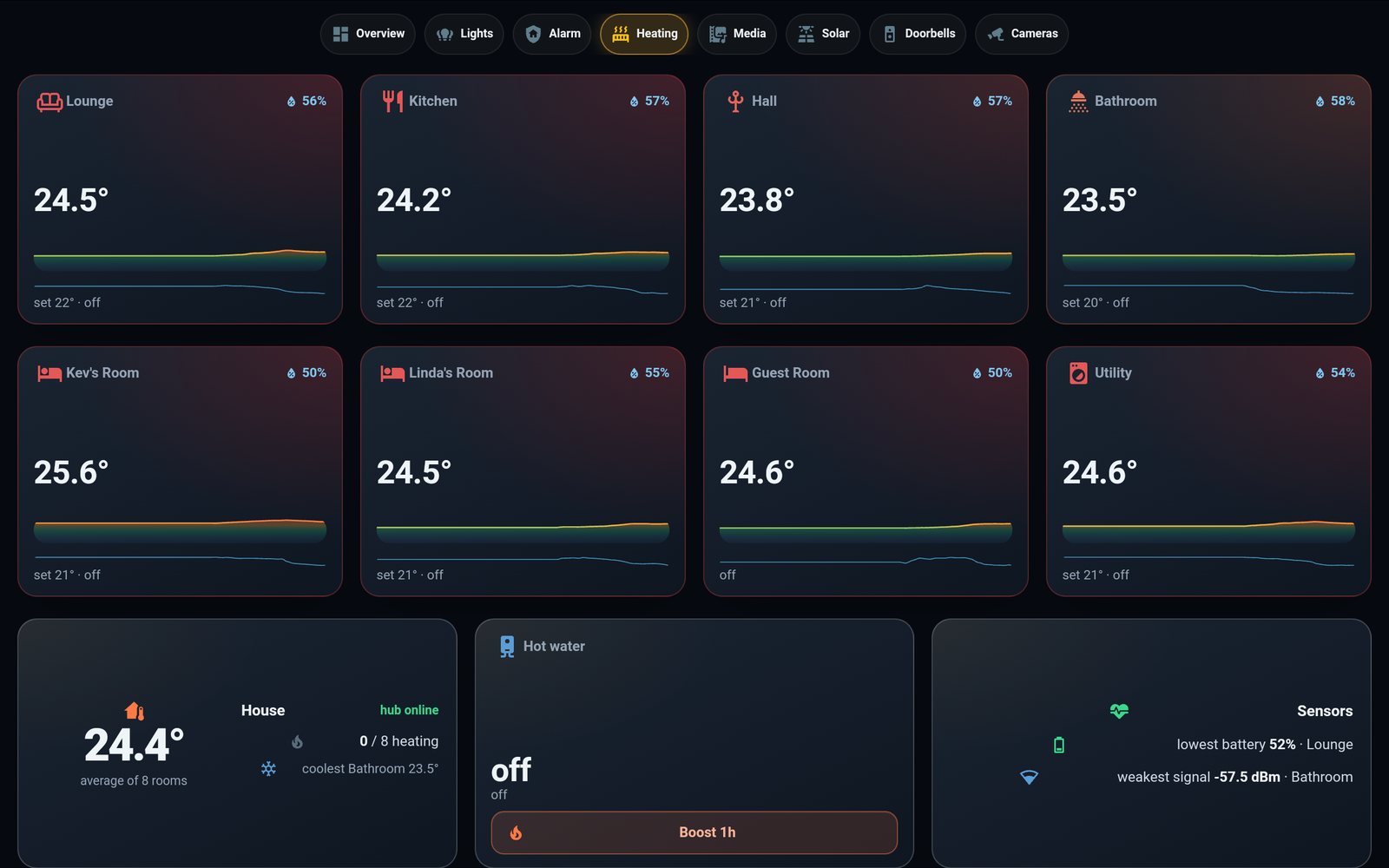
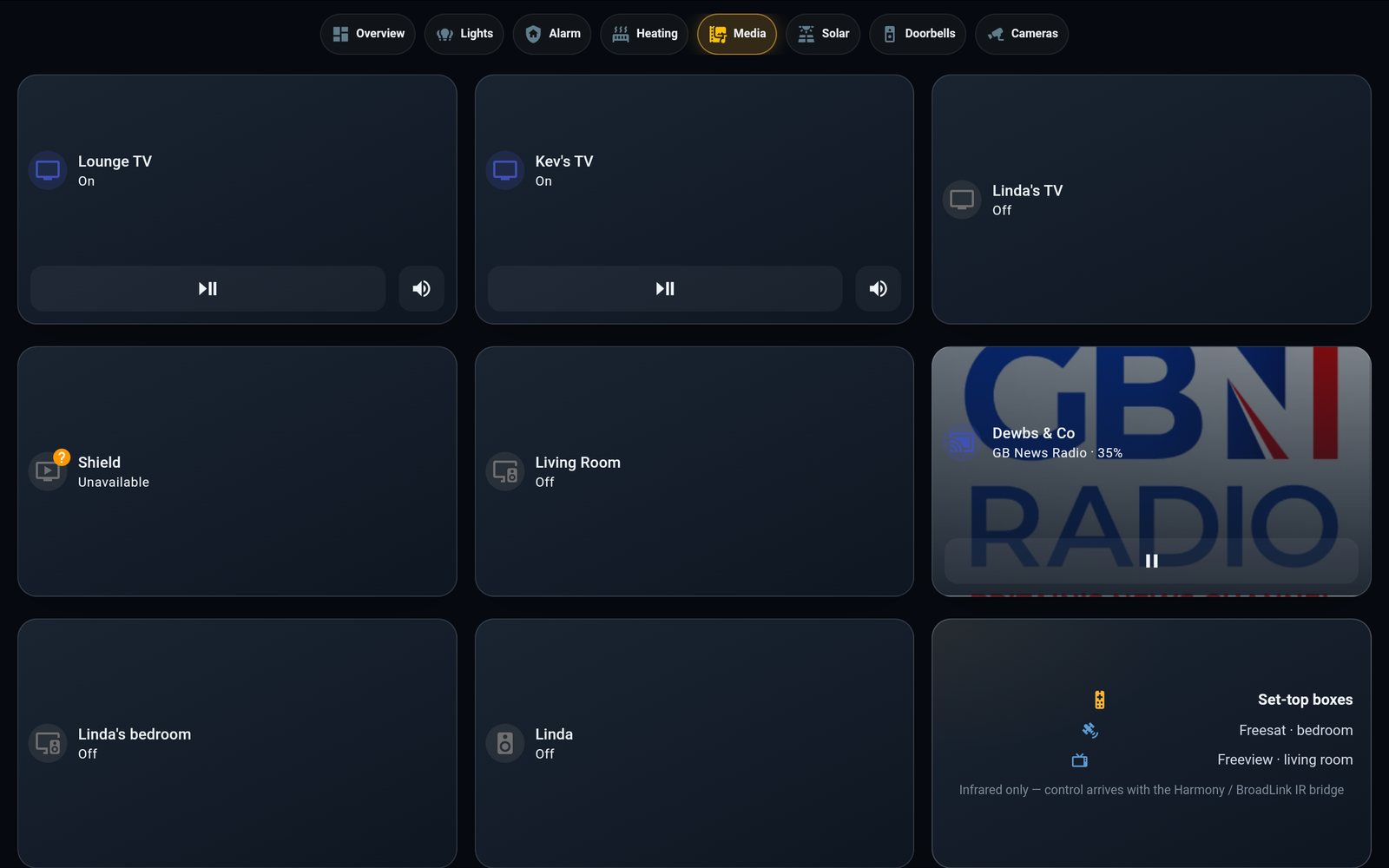
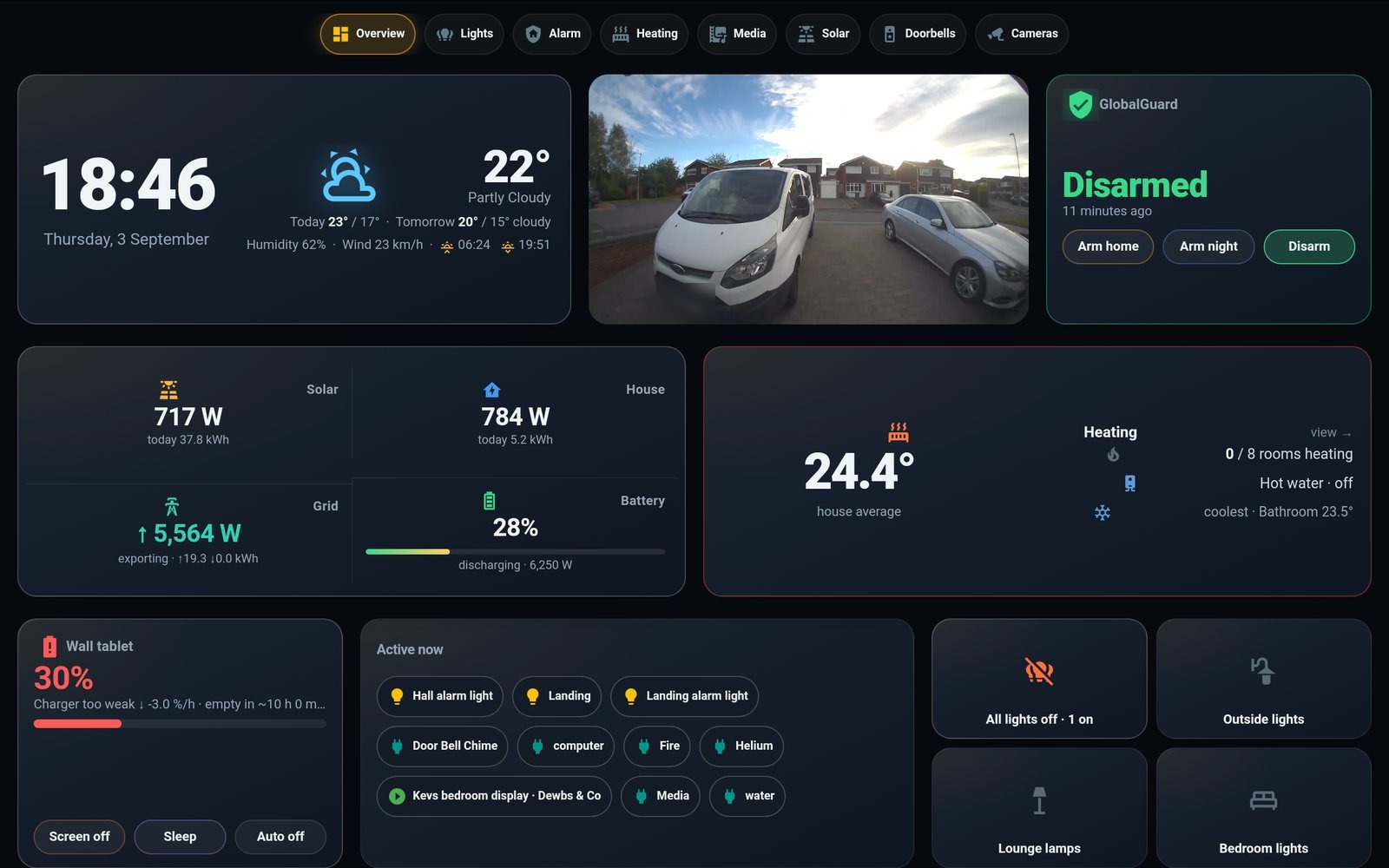
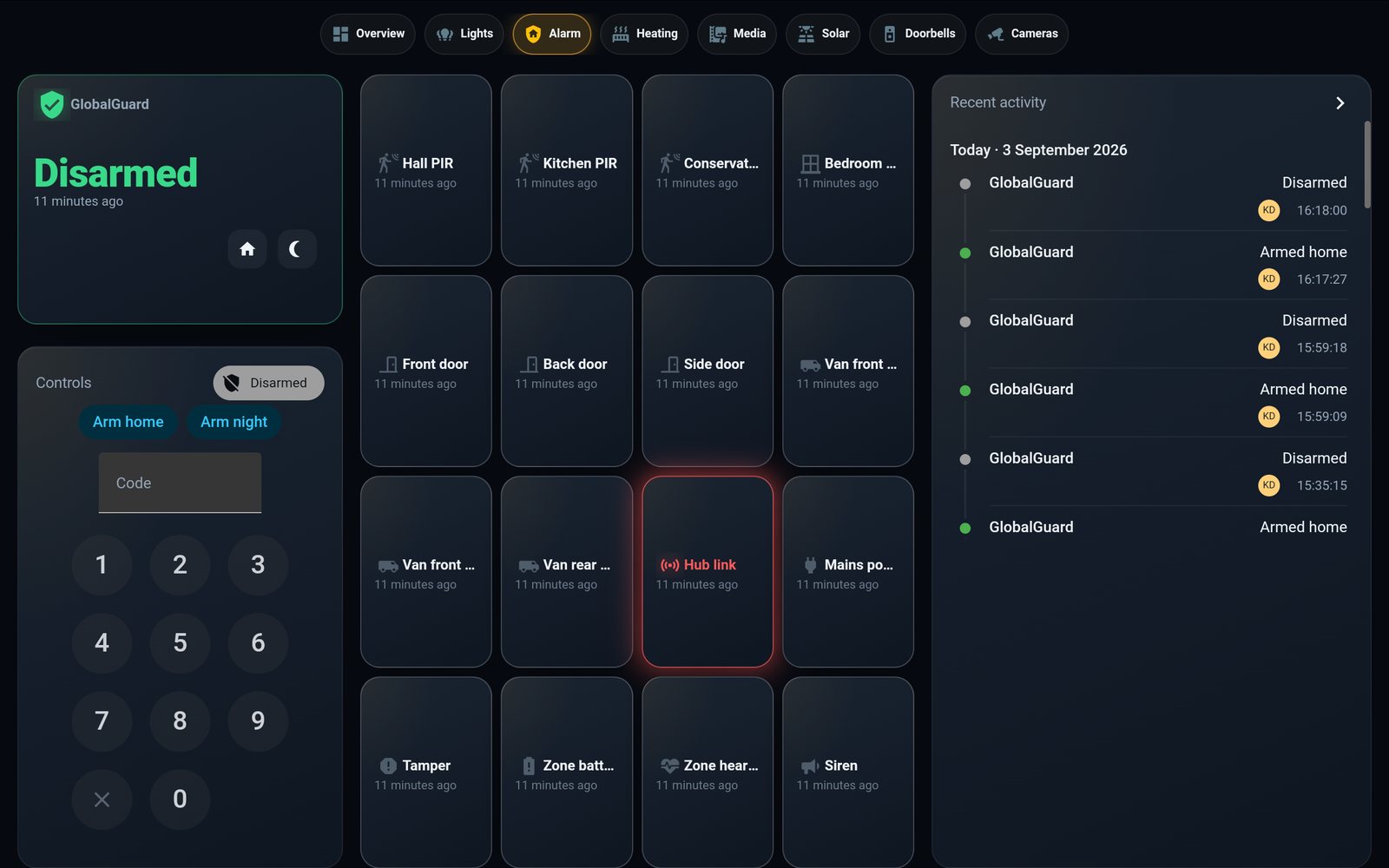
A 2014 Samsung Note that had been dead in a drawer now hangs in the hall in a printed clamshell, showing a six-tab dashboard that never scrolls: live solar at five-second resolution, the alarm, both doorbells, every light — and it knows whether its own charger is keeping up.

Galaxy Note 10.1 (2014) LineageOS + Fully Kiosk 1280 × 800 · no scroll 3D-printed mount

6tabs, none scroll
5 ssolar refresh
60custom tiles
2printed halves
01 · The dashboard

Six tabs, and nothing ever scrolls

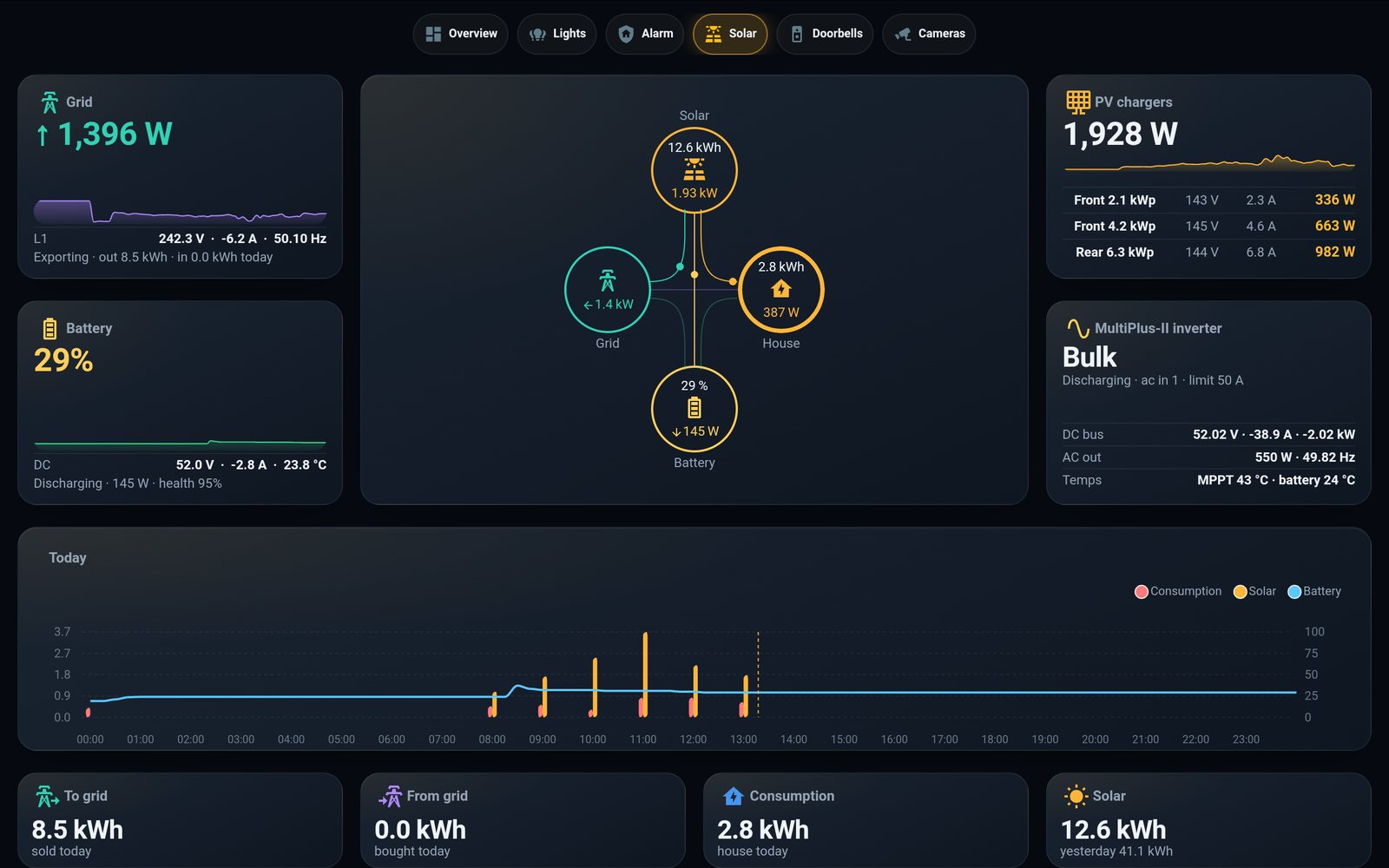
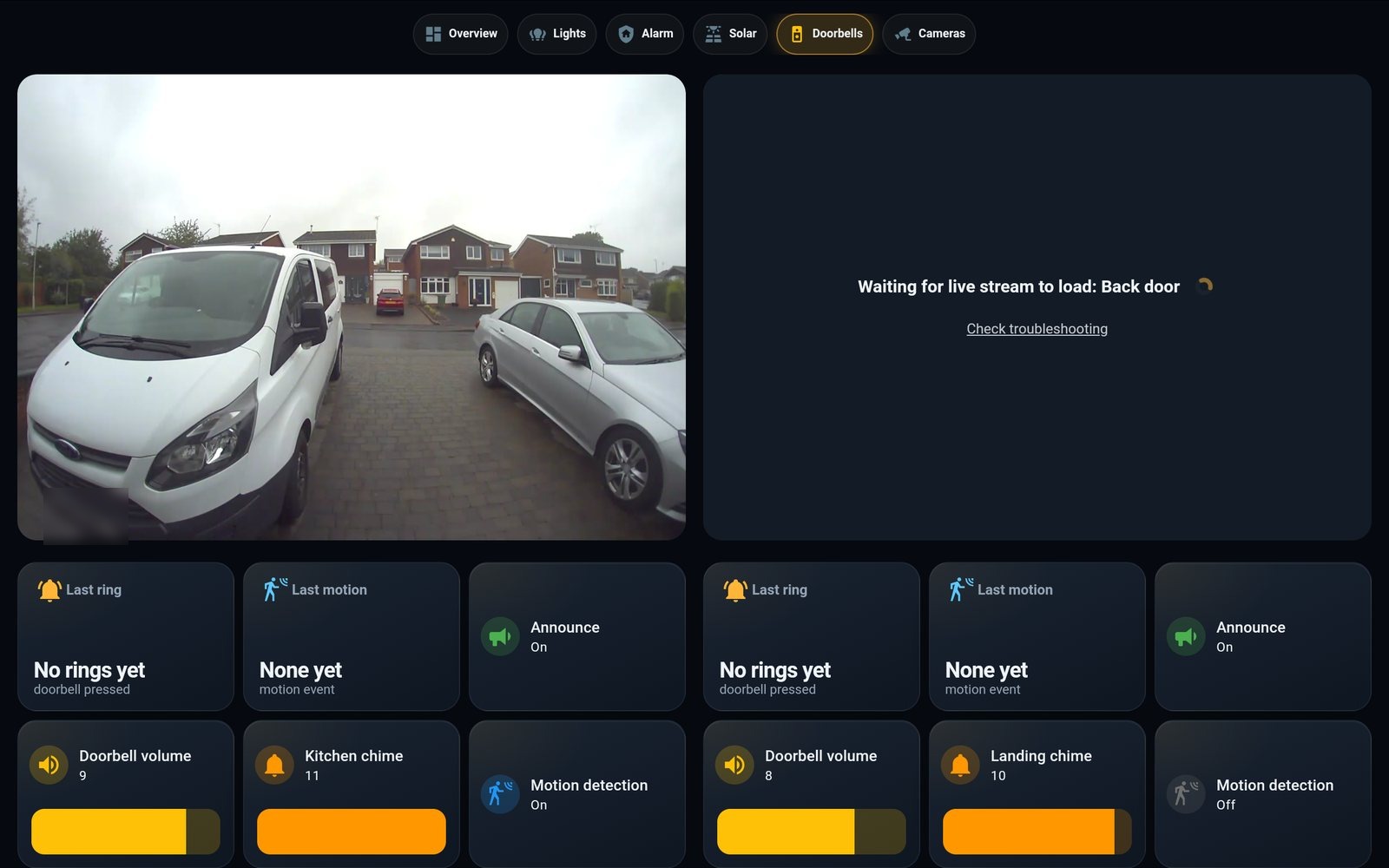
The whole point of a wall panel is that you glance at it. Every tab is a fixed grid that fits the 1280 × 800 screen exactly — no scrolling, no hidden rows. These are the tablet's own screenshots; tap the pills to switch.
02 · Under the tiles

Ten cards, one grid, a builder script

Home Assistant's stock dashboards scroll and reflow. This one is a hand-written YAML grid that pins every card to a cell of a 100-vh layout, styled by a theme that gives every tile the same gradient, glow and motion.

One tile, four cards deep: a button-card shell with JavaScript templates for the arrows and colours, a mini-graph-card sparkline nested inside it, the theme's card-mod styling, all placed by layout-card.

  • 01layout-card — a 12-column CSS grid per tab, rows in fractions of 100 vh, so the page height is the screen height.
  • 02button-card — 60 tiles from eight templates: stat, sparkline, light, action, zone, status, alarm. Templates carry the keyframes for the glow and pulse.
  • 03mini-graph-card · apexcharts — six-hour sparklines in the tiles, an hourly kWh chart with the battery line on the solar tab.
  • 04power-flow-card-plus — the animated PV → house / battery / grid diagram, dots moving at a rate that tracks the watts.
  • 05advanced-camera-card — the doorbell streams, cover-cropped so there are no black bars.
  • 06mushroom · auto-entities · card-mod · kiosk-mode — the tab pills, the "active now" chips that only exist while something is on, the theme, and hiding every bit of HA's own chrome.
  • 07The builder — a Python script stamps the tab bar into every view and injects the one line each tile needs to fill its cell, then the YAML is validated inside HA before it goes live. Dashboard changes need no restart.
03 · Realtime solar

From the inverter to the wall in five seconds

The Victron system is read over Modbus straight off the LAN — no cloud, no VRM portal — every five seconds. Derived sensors turn watts into the day's kilowatt-hours, and a recorder filter keeps the database sane at that rate.

Watts arrive every five seconds; the package turns them into "to grid 8.5 kWh · consumption 2.8 kWh" for the day.

30 s → 5 s

The integration's poll interval, dropped to five seconds. That's the difference between "updates now and then" and the sparklines visibly moving — the same feel as Victron's own app, without its cloud.

Watts into kWh

Grid and battery power are split into import/export and charge/discharge, integrated into energy, then cut into daily meters — so the tiles read sold today, bought today, house today.

Recorder on a diet

Polling 453 entities every five seconds would flood the history database. A filter records only the eighteen values the panel charts; everything else stays live but unrecorded.

04 · Does the charger keep up?

A tile that knows when it's losing

The tablet reports no charge current — only its battery percentage. So the panel measures the trend over twenty minutes and colours itself: green if it's gaining, red if it's plugged in but falling, amber if the charger is only just holding. Try the physics.

Wall tablet
31%
Gaining ↑ +7.1 %/h · full in ~9 h 40 m · 36 °C
Screen offSleep

What the house actually does: a phone alert at 20 %, the screen switches itself off at 8 % to save the cell, comes back on once it's past 30 % in daylight, and a second alert fires if it has been plugged in but falling for half an hour. The tablet's own charging circuit tops out at 5.3 V × 2 A ≈ 10.6 W, so anything "more powerful" than a 2 A port buys nothing.
05 · The mount

A two-piece clamshell you can take apart

A tablet won't clip into a rigid printed lip — a 250 mm edge needs tens of kilograms to flex over — so the case is two halves that clamp it from left and right, which also happens to fit a 220 mm print bed. The left half drops onto its screws, the right half slides in sideways onto its own screws and into the seam’s dovetail fingers, and two spring latches click. Drag to rotate, scrub to assemble.

MountedExploded
drag · pinch · wheel
Exploded — left half · tablet · right half
Outer size
248.5 × 176.8 × 13.0 mm
tablet lies flat on a 2.6 mm plate, 2 mm lip
Halves
138 + 138 mm
alternating dovetail fingers · fits a 220 mm bed
The click
2 latches
4 mm spring beams, 0.6 mm barbs, 1.4 % strain
Keyholes
2 + 2
left pair drop on, right pair slide in — countersunk for flush M4 heads
Wall screws
156 × 104 mm
a plain rectangle, drilled from the 1:1 template
Openings
7 cuts
USB, IR, power/volume, both speakers, microSD, S-Pen — from the photos

How it was made: not in a CAD app — the case is generated by a Python script with real constructive solid geometry, and a verification script runs fifty-odd geometric assertions after every parameter change: the tablet fits with worst-case tolerances, the fingers key the halves, only the barbs resist pulling apart, every latch beam and finger sits on the print bed, every opening is clear through, a 9 mm screw head passes the keyholes and a 4 mm shank is trapped. Print both halves flat, no supports. Four M4 countersunk screws in the wall on a 156 × 104 mm rectangle, heads 2 mm proud; drop the left half onto its two, lay the tablet in, offer the right half up 14 mm to the right and push it left until both latches click.

06 · Power management

Four states, and it wakes itself

A 2014 battery on a modest charger can't run a bright screen all day and charge — only a screen that's fully off gains ground. So the panel steps through four power states on its own, and Home Assistant wakes the screen in software the instant something matters, so nothing is missed.

The four states

  • Active dashboard, full brightness
  • Dim still readable, low backlight
  • Sleep screensaver, dimmed — drains slowly
  • Off screen powered down — the only state that charges

What wakes it

  • Doorbell — wakes to the overview with the front-door preview
  • Alarm entry or trigger — wakes and stays on until it clears
  • Home button — two minutes, then back to charging
  • Low battery — screen off to charge, phone alert; back on once recovered
No button simulation needed. Turning the screen back on is a plain Fully Kiosk command over the network, so any event can do it; the physical home button is just the manual equivalent. An Auto switch on the panel arms the whole system, and sliders set the resting state and the two brightness levels.
07 · The battery bypass

Or: take the battery out altogether

The honest long-term fix for an always-on wall tablet — remove the eleven-year-old cell and feed the tablet directly. It also removes the one real hazard of a lithium battery sealed to a wall: swelling. The trick is to keep the pack's own little circuit board.

Keep the management board

That PCB on the cell is the battery's BMS — protection, thermistor and gauge. Separate the pouch, keep the board, and feed a regulated ~4.0 V into its cell pads. The tablet still sees a normal battery, so no faked sensors and no boot refusal.

Then it runs forever

A buck converter rated for the tablet's >2 A peaks holds ~4.0 V; the charger sees "nearly full" and idles. Nothing left to drain or swell, so the panel can stay bright all day and the power manager becomes optional.

Full method, schematic and safety notes on the Technical page →

08 · Field notes

Things that cost an hour each

The dashboard went from "a three out of ten" to this in one day of iteration against tablet screenshots. Most of the time went on these.

01Tiles that shrank to their content

Symptom
Every custom tile sat small and lonely in its big grid cell.
Cause
Setting the card to 100 % height does nothing when the card's host element isn't stretched.
Fix
One extra style line per tile — injected automatically by the builder for all 60.

02Icons that vanished

Symptom
Quick-action pills showed text and no icon at all.
Cause
In an auto-height card the icon's row collapses to zero unless the icon has an explicit height as well as a width.
Fix
Explicit icon heights in every template.

03Black bars round the doorbell

Symptom
The 16:9 live stream letterboxed inside a taller tile.
Fix
A camera card that can cover-crop its cell, with its own status bar and menu switched off.

04The header came back

Symptom
HA's own tab strip reappeared above the pill bar after a rebuild.
Cause
The kiosk setting was on each view but no longer at the dashboard root.
Fix
Both.

05The tablet went "offline" while showing the dashboard

Symptom
Every tablet sensor unavailable, yet the panel was plainly live.
Cause
DHCP had quietly moved the tablet to a new address; the integration was still pointed at the old one.
Fix
Repointed, and a reservation so it can't wander again.

06Six copies of the tab bar

Symptom
HA's dashboard loader doesn't reliably honour YAML anchors, so the pill bar had to be pasted into every view.
Fix
A tiny build step: write it once, stamp it into each view with the right pill lit.

On the wall

The oldest device in the house is now the one everyone looks at.

A drawer-bound tablet, a printed clamshell, and a dashboard that shows the solar moving in real time, arms the alarm, answers the door and keeps an eye on its own battery — all from the Pi in the cupboard, nothing in the cloud. Next on the list: a switchable LCARS skin, and cameras when they arrive.

wall panel v8 · six tabs · no scroll·Victron over Modbus · 5 s·NoteCase P600 mount · 2 halves